🔴 Critical PHP Security Update
The PHP team will release a security update on Oct 21, 2026 at 14:00 UTC, fixing 2 critical vulnerabilities (CVSS 9.2): CVE-2026-109618 and CVE-2026-109619.
Please upgrade immediately once available.
⚠️ Take a server snapshot backup before upgrading (via your cloud provider).
ℹ️ Patches are available for PHP 7.4 – 8.5 only. Please update to PHP 8.5.12, 8.4.27, 8.3.36, 8.2.35, 8.1.35, 8.0.31 or 7.4.34.
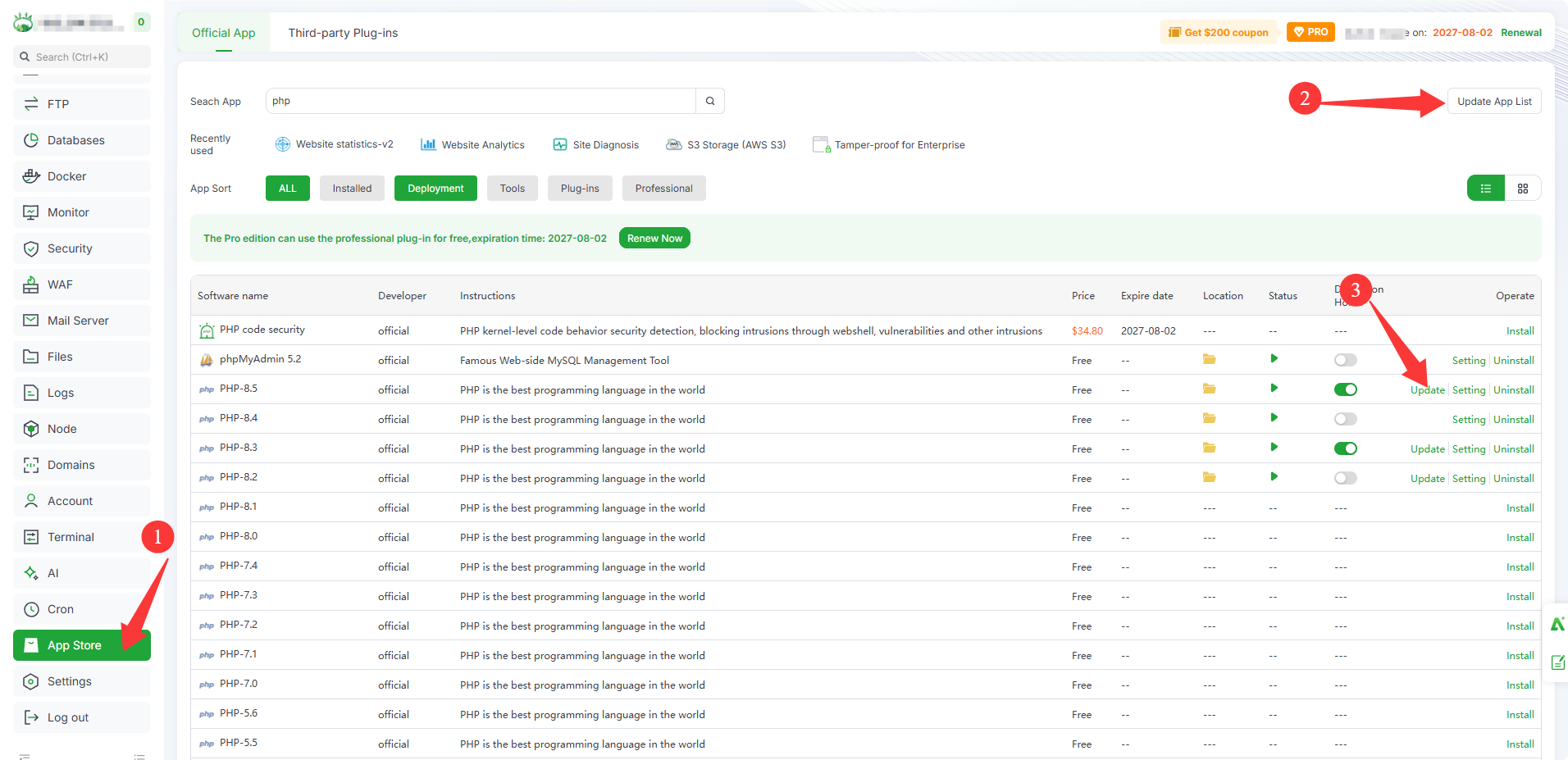
📌 How to update in aaPanel:
- Go to App Store
- Click Update App List (top-right) to refresh
- Find your PHP version and click Update
💡 If you have multiple PHP versions installed, update each one.
aaPanel has line-by-line compared the official 7.4 patch and backported four fixed versions:
The official release only provides patches for 8.2 and above — versions 7.0–7.3, 7.4, 8.0, and 8.1 receive nothing.
- 7.0.34 aaPanel patched build
- 7.1.34 aaPanel patched build
- 7.2.35 aaPanel patched build
- 7.3.34 aaPanel patched build
All four versions are now updatable via the App Store. These versions no longer receive official PHP security maintenance — plan a migration to a supported version soon.
If you cannot update PHP promptly, use the Nginx WAF plugin to block the PHP php2shell vulnerability
- Go to App Store to install/update Nginx WAF.
⚠️ If you're on older versions (5.6 or below), see the announcement below for mitigation.
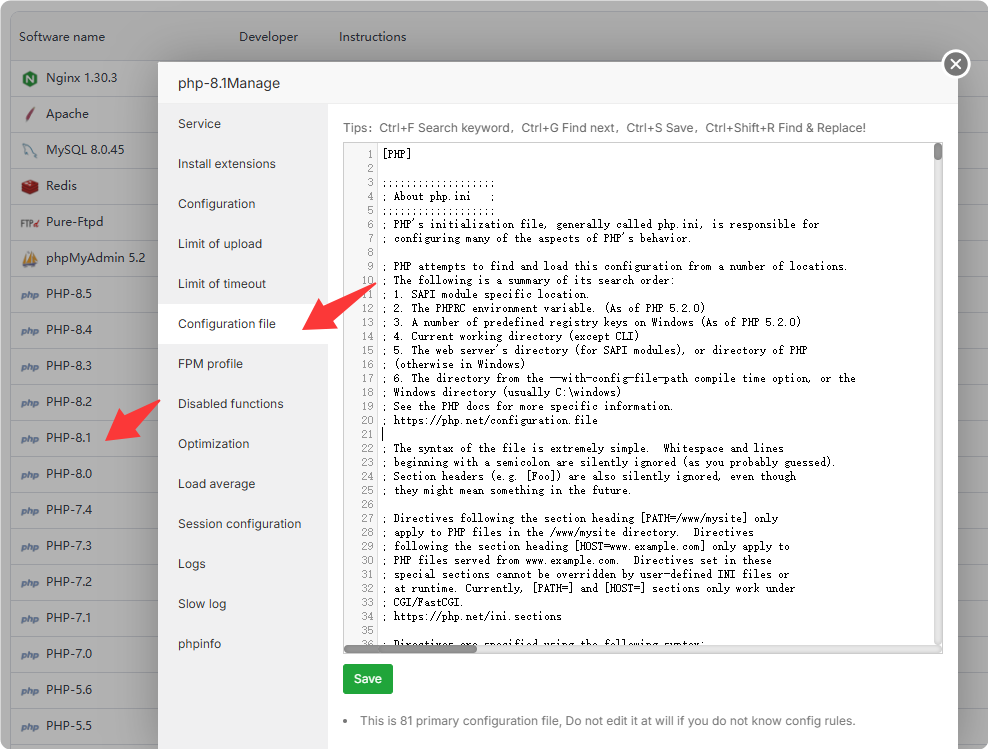
Please manually restart PHP after changing the configuration
🔗 Announcement: https://www.php.net/archive/2026.php#2026-10-20-1
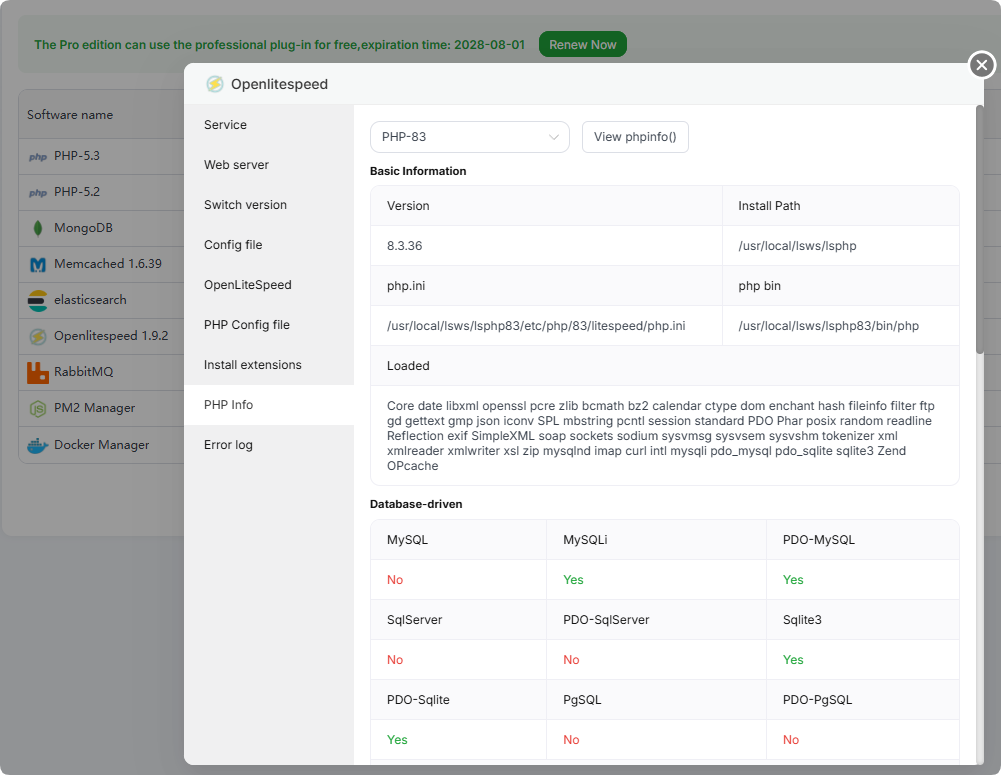
If you are using OpenLiteSpeed, please first execute the command in the terminal to perform an update.
CentOS / AlmaLinux / Rocky
yum update 'lsphp*' -y
Debian / Ubuntu :
apt-get update
apt-get install --only-upgrade 'lsphp*' -y
Once the update is complete, please check the OpenLiteSpeed interface to verify that the PHP version has been updated to the patched version.
RCE via OOM corruption (CVE-2026-109618)
- Set
memory_limit=-1, preferably in a way applications can't override, such as php_admin_value in the FPM pool or Apache configuration, and check that no pool, directory or application setting puts a finite limit back. This removes the controllable PHP memory limit failure, but an underlying allocation failure can still reach the vulnerable path.
- Set a low
post_max_size. For applications that don't require file uploads, set post_max_size = 8M. If file uploads are necessary, set post_max_size = 32M. Keep upload_max_filesize below post_max_size. Consider enforcing limits at the web server or proxy level for decoded request size, input field count, multipart part count, header count, and nesting depth. These limits must also cover requests without a usable Content-Length.
- Use a container or cgroup limit as an availability boundary, preferably with a policy that kills only the affected worker. Do not substitute
RLIMIT_AS or RLIMIT_DATA, as these can cause the vulnerable allocation failure.
RCE via stale global state (CVE-2026-109619)
- Set
session.upload_progress.enabled=0 and restart every worker. Use php.ini, an FPM pool or server configuration that applies before request parsing. Do not rely on ini_set() or FPM .user.ini. This blocks the confirmed session paths but not other variants.
- On PHP 8.5, set
fatal_error_backtraces=0 and restart every worker. This blocks the confirmed fatal backtrace path only.
- Remove invalid or deprecated settings applied per request that emit diagnostics before initialization. Hiding diagnostics with
error_reporting, display_errors or @ does not help.
- Fix attacker-reachable fatal errors and execution timeouts, including failures in callbacks, upload or import processing and cleanup.